How to connect the thermocouple wires of the data acquisition instrument
Leave a message
1. Introduction to Thermocouples
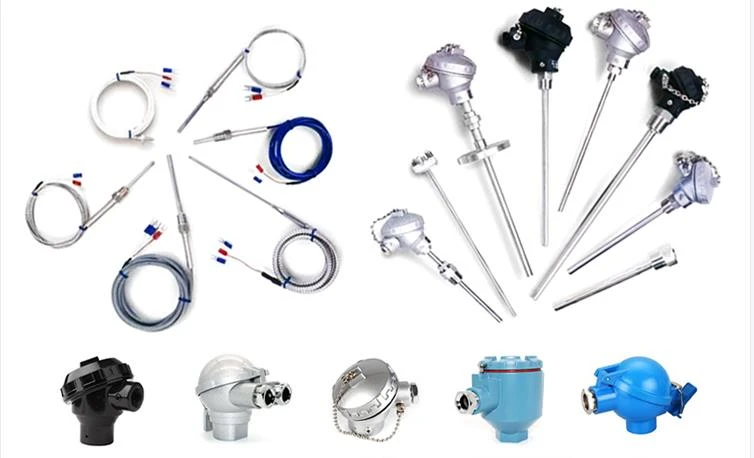
Thermocouples are a commonly used temperature measurement sensor that can convert temperature into voltage signals and transmit them to a data acquisition instrument for processing and recording.
2. Preparation before wiring
Before wiring, we need to confirm whether the models and specifications of the thermocouples and data acquisition devices used match. At the same time, ensure that the interface of the thermocouple is correct, usually for common types such as K-type and J-type.
3. Wiring steps
Firstly, power off and turn off the data acquisition device to ensure safety.
Find the interface terminals on the thermocouple wire and pay attention to distinguishing the positive and negative poles.
Connect the negative pole of the thermocouple to the negative pole of the data acquisition instrument, usually with a black terminal.
Connect the positive pole of the thermocouple to the positive pole of the data acquisition instrument, usually with a red terminal.
Ensure good contact without any looseness or poor contact.
4. Precautions
During the wiring process, it is necessary to ensure safety and avoid touching exposed wires to prevent electric shock accidents.
When wiring, avoid lines that are too long or too short to avoid affecting the accuracy of the data acquisition instrument.
Ensure that the thermocouple wires are kept at a certain distance from other equipment or power lines to prevent mutual interference.
If you have special requirements or are not familiar with wiring methods, it is recommended to consult professionals or refer to relevant technical documents.
Correct wiring is the key to ensuring that the data acquisition instrument can accurately measure and record temperature. Following the correct wiring steps and precautions can ensure stable and reliable connection between the thermocouple wire and the data acquisition instrument, thereby improving the accuracy of temperature detection.